
Typical workflow
Add a wallet manually or import a list.
Assign nicknames and collections so the list stays usable.
Run batch analysis when you want a fresh pass on selected wallets.
What data is inside
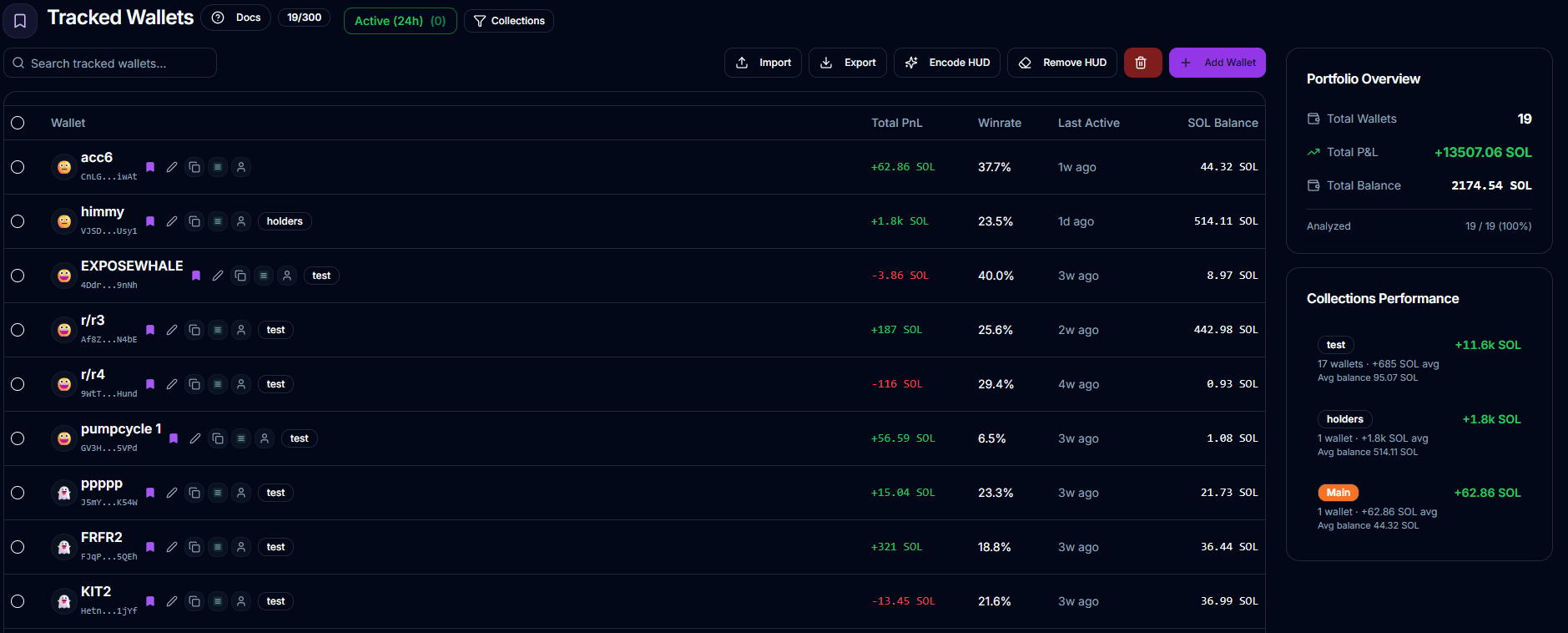
Saved wallets, nicknames, collections, and HUD-based quick context.
Portfolio totals such as total wallets, total PnL, and total SOL balance.
Collection-level summary cards so you can inspect groups, not just individual entries.
What to expect
Adding a wallet automatically queues a flash analysis.
Imported wallets are analyzed in waves rather than all at once.
Recently analyzed wallets can be skipped by refresh flows to avoid unnecessary work.
Limits
Maximum 300 tracked wallets.
Import supports up to 300 wallets per request.
First 50 imported wallets get immediate flash analysis; the rest queue in background.
Batch analyze is limited to 20 wallets per request.