
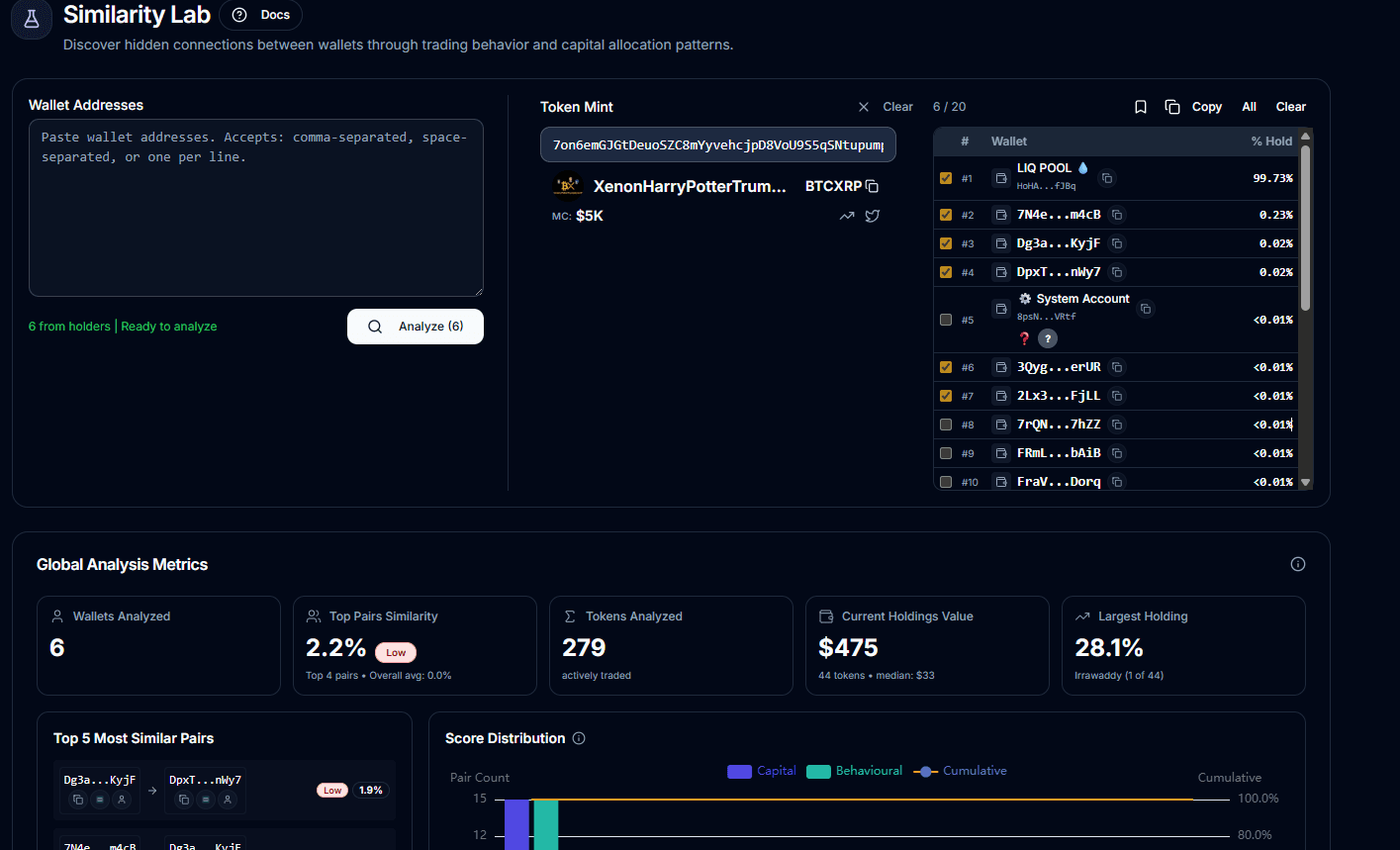
Typical workflow
Paste at least two wallets, or start from a token and select holders.
Queue the async job and wait for the comparison result.
Use the strongest pairs, clusters, and common tokens to decide what matters next.
What data is inside
Pairwise similarity scores and shared-token overlap.
Wallet-level balance context and common-token views.
Cluster-style grouping signals and global metrics for the full set.
What to expect
This is an async job and larger wallet sets take longer.
Known system or non-trader wallets lower the usefulness of the comparison and can be skipped.
Metadata and pricing enrichment can continue after the main similarity result loads.
Limits
Minimum 2 wallets, maximum 30 wallets per run.
Credit cost is dynamic: 10 if wallets are already synced, 20 if sync is needed.
Heavy result payloads are job-backed rather than fully inline.